
The app
screen by screen.
What the user sees, in the order they meet it. Everything here exists in the code; pictures marked sample data show example recordings, not real people's files.
01Onboarding
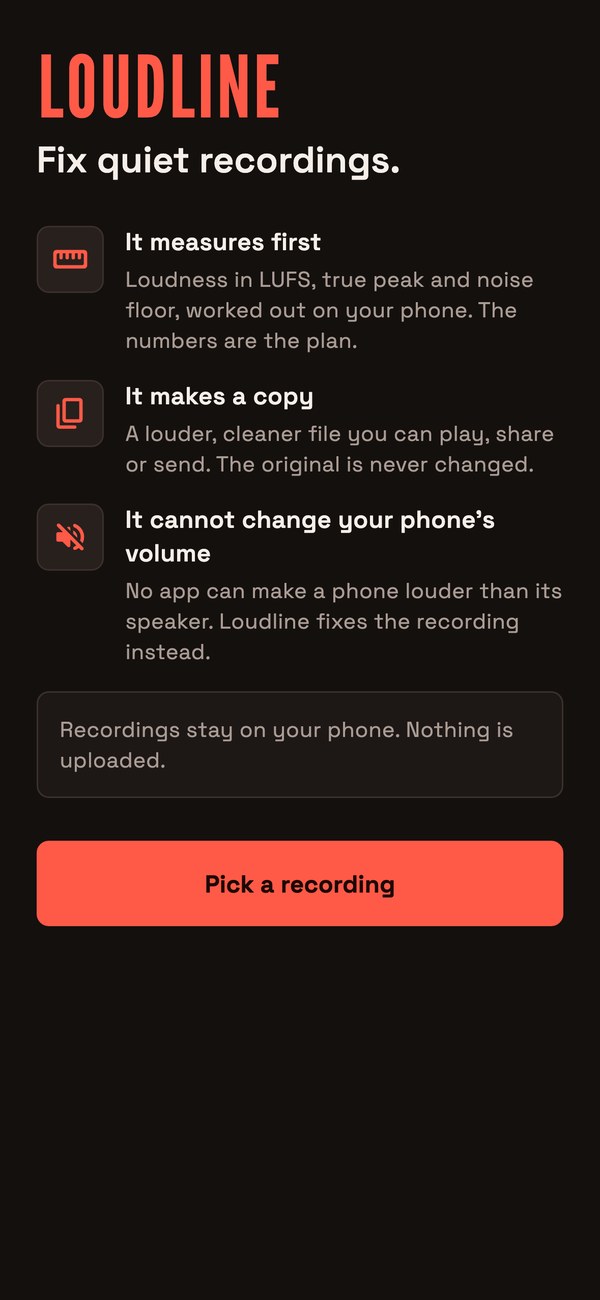
Shown once. Three points: it measures first (loudness in LUFS, true peak and noise floor, worked out on the phone), it makes a copy (a louder, cleaner file; the original is never changed) and it cannot change the phone's volume (no app can make a phone louder than its speaker, so Loudline fixes the recording instead). It also says that recordings stay on the phone and nothing is uploaded. The button is Pick a recording.
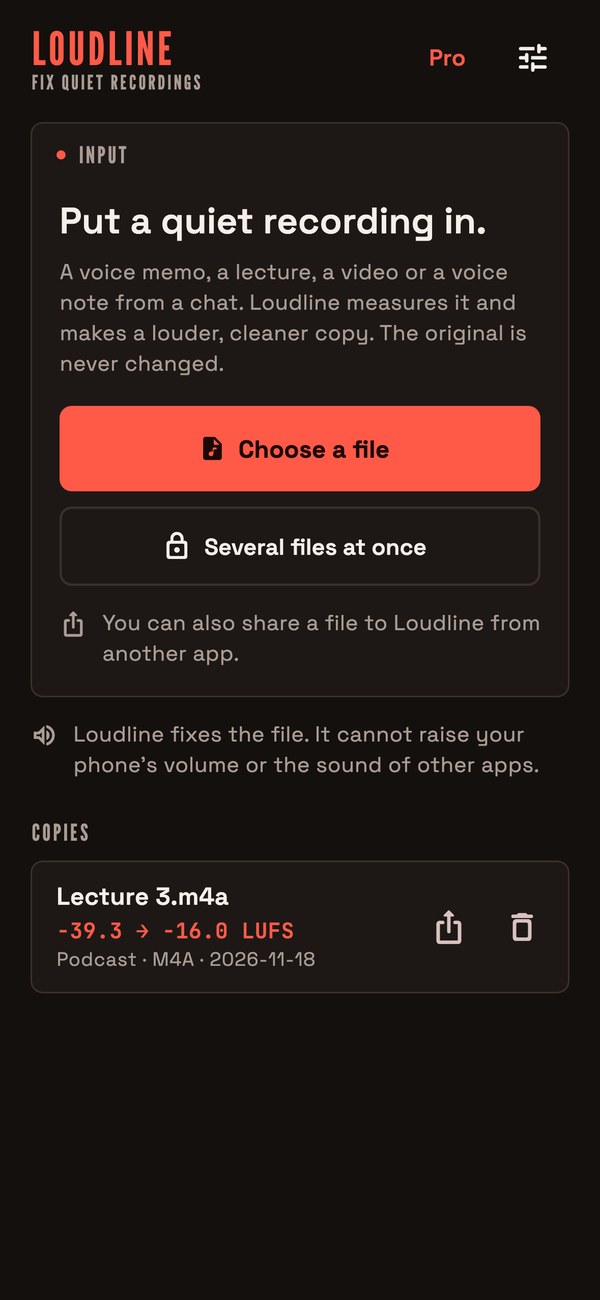
02Home
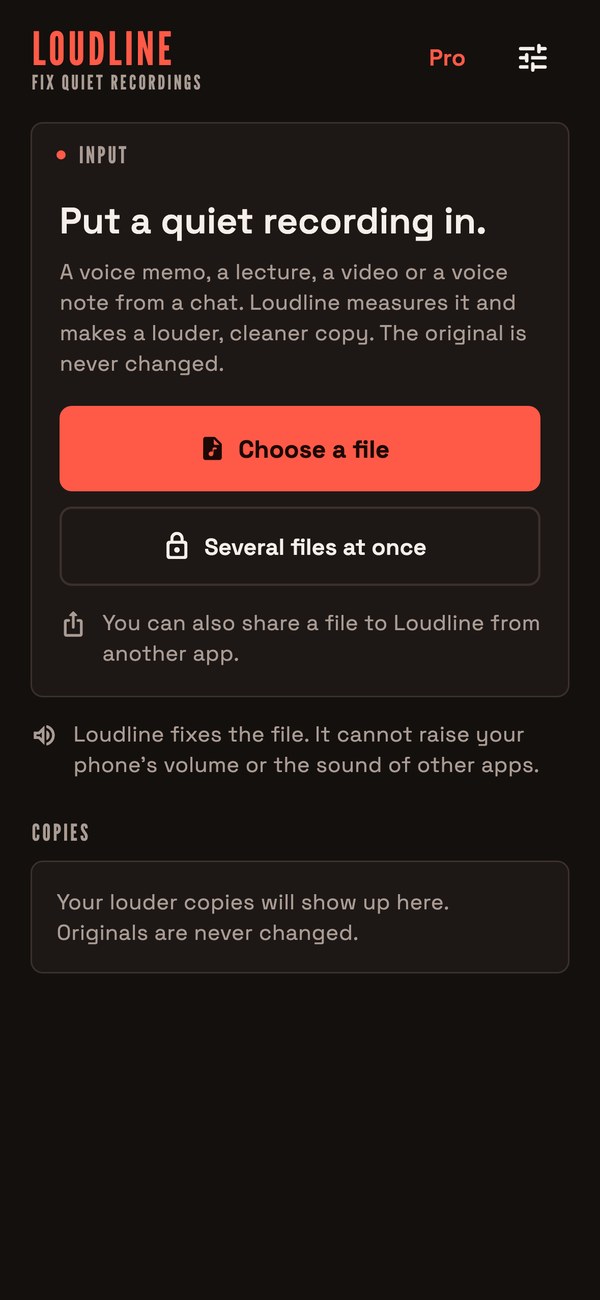
The app name and tagline sit at the top, with a Pro button when the paywall is on. An announcement from the console appears here, once, with a Read more link if you gave one. The input card has Choose a file and, when batch is switched on, Several files at once. Below is the list of copies made so far. Files shared in from other apps open in the studio directly (Android: Share and Open with for audio and video; iOS: Open in from Files, Voice Memos exports and similar).
03Studio
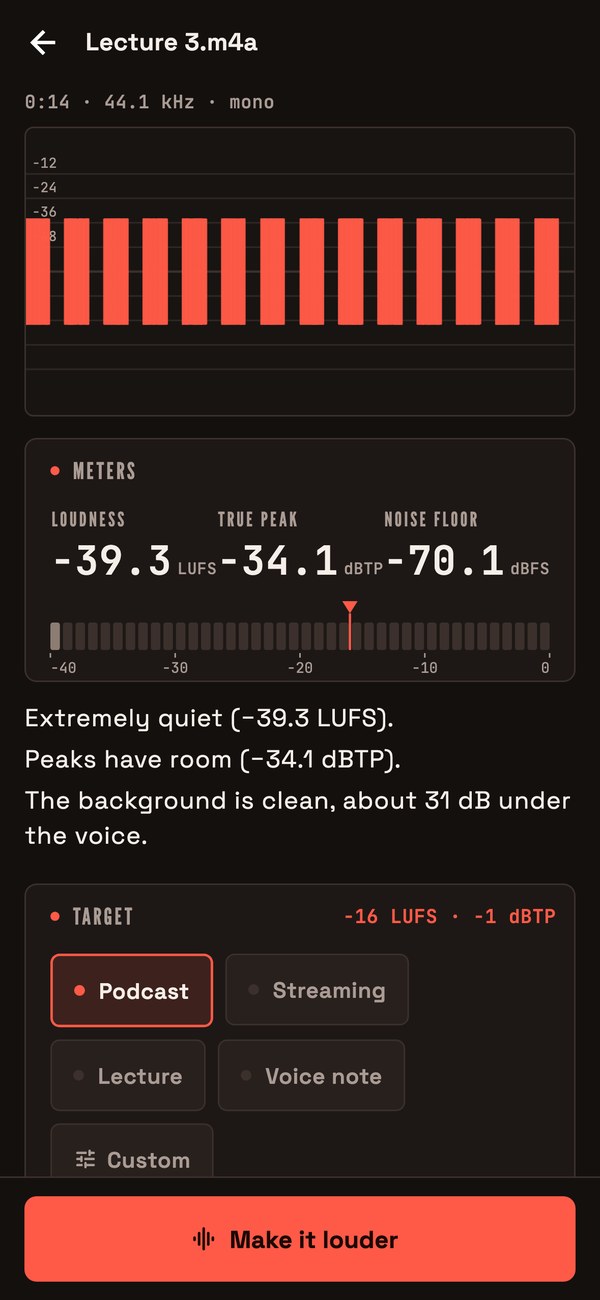
The studio first reads the file ("Reading the file", then "Measuring") with a note that the work happens on the phone. It then shows:
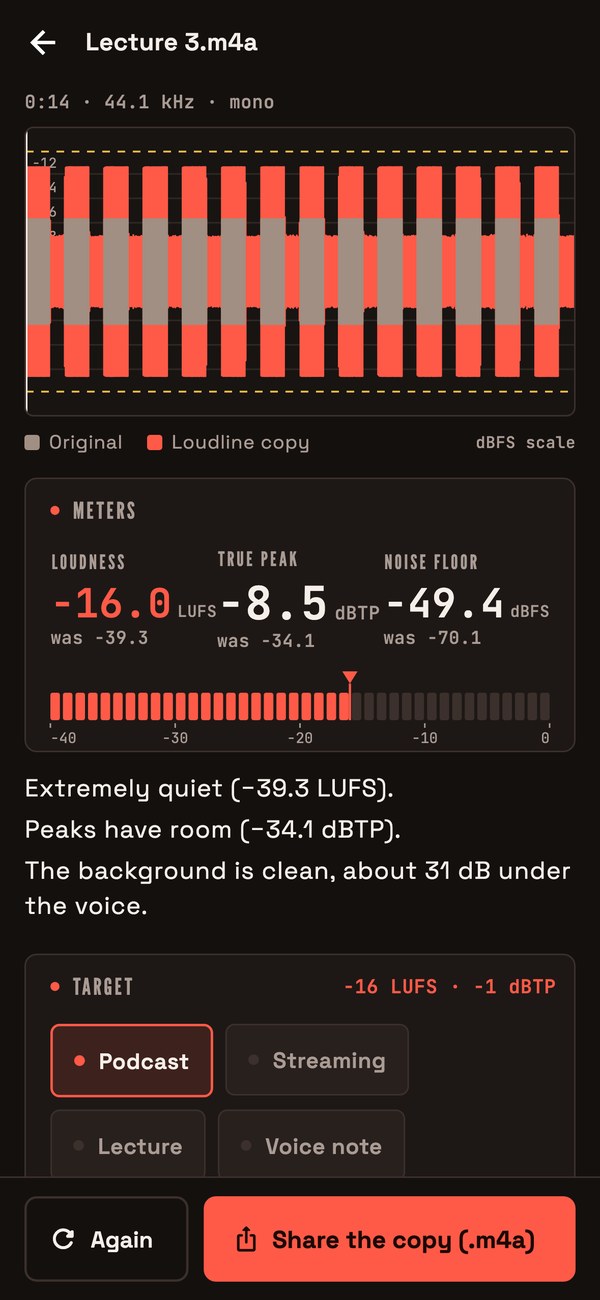
- The recording: duration, sample rate, mono or stereo.
- One waveform on a dB scale: the original and, after a copy is made, the Loudline copy in another colour.
- Meters: Loudness (LUFS), True peak (dBTP) and Noise floor (dB), as numbers.
- Plain sentences about what was found: how loud the recording is in words (from "Already loud" to "Extremely quiet", measured against the -14 to -16 LUFS that podcasts and streams usually sit at), whether it is already clipped, whether the peaks leave room, and how far the noise sits under the voice. There is never a score.
- Target: a row of presets (those from the server or the built-in four) and Custom. A preset sets the loudness target and peak ceiling, the tone preset and the noise reduction level, and you can still change tone and noise reduction by hand.
- Make it louder (the button label): makes the copy. A progress bar says "Measuring, cleaning, setting the level, limiting the peaks, measuring again."
Custom target
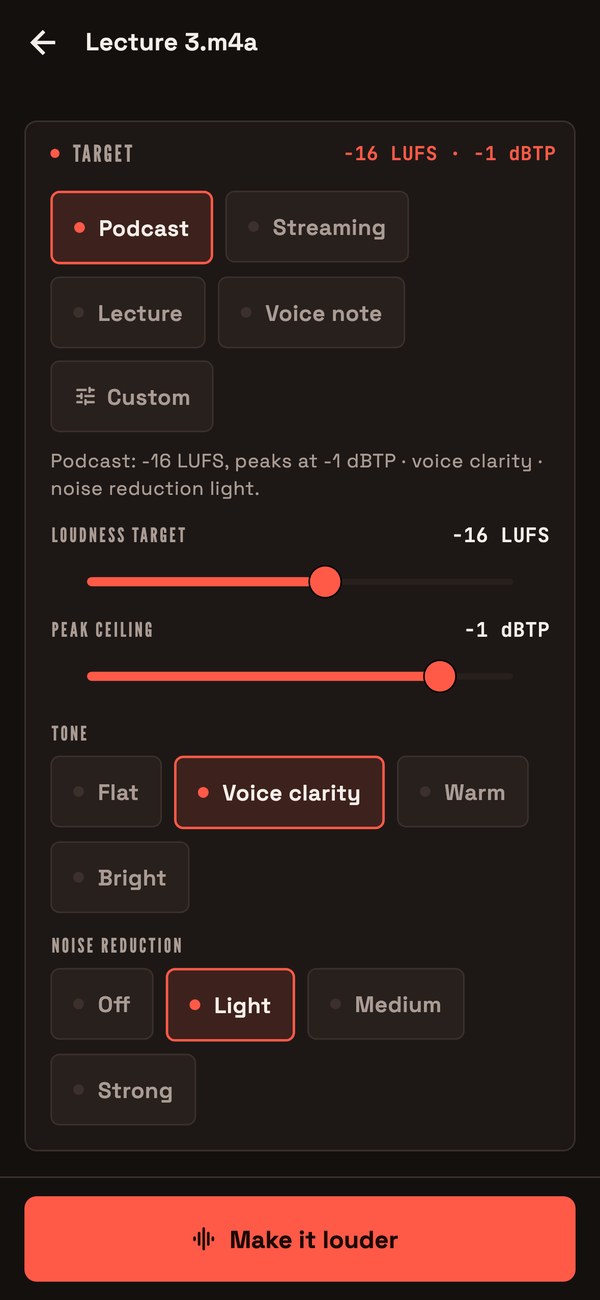
Choose Custom to move two sliders: Loudness target from -30 to -5 LUFS and Peak ceiling from -6 to 0 dBTP. Tone has four settings (Flat, Voice clarity, Warm, Bright) and Noise reduction has four (off, light, medium, strong). If the noise reduction or tone switches are turned off in the console they are hidden.
04Result
When the copy is ready the app has measured it again, so the numbers shown are those of the copy, not the plan. It shows before and after loudness, true peak and noise floor, and honest notes where they apply:
- the target could not be reached without going over the peak ceiling (the copy reads what it reads, and a lower target or a higher ceiling would get closer);
- the original was already clipped, so the damage is still in the copy;
- the recording is noisy, so the noise got louder along with the voice;
- noise reduction was on but no steady noise could be found, so nothing was removed;
- the original was louder than the target, so the copy is a little quieter.
The copy is shared as .m4a (AAC) with Share the copy, or as lossless WAV with Share as WAV (lossless, large). It is named after the original, with "(Loudline" and the target in brackets. The original file is untouched.
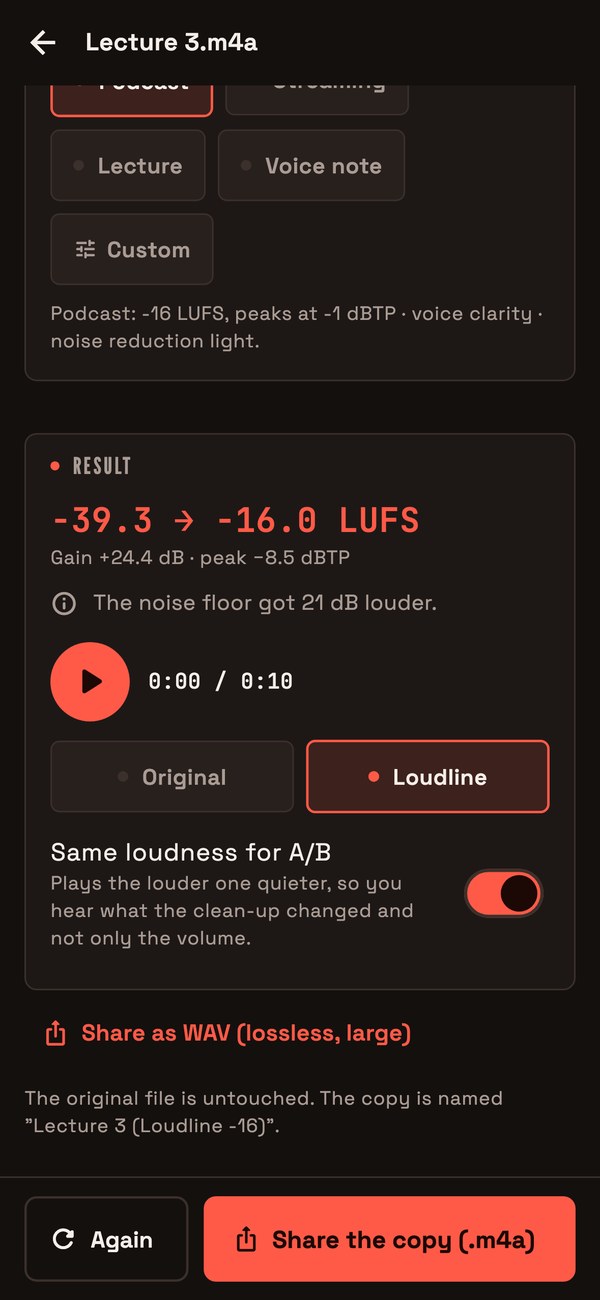
A/B playback
Two buttons, Original and Loudline, switch playback between the two files at the same position. The switch Same loudness for A/B plays the louder one quieter, so the user hears what the clean-up changed and not only the volume. This is shown when the before/after feature is on.
05Copies
Every finished copy is kept in a history on the device (the newest 100) with its name, preset, format, date and "before to after LUFS". Tap one to open it again. Settings has Delete all copies, which removes the files Loudline made and never touches originals.
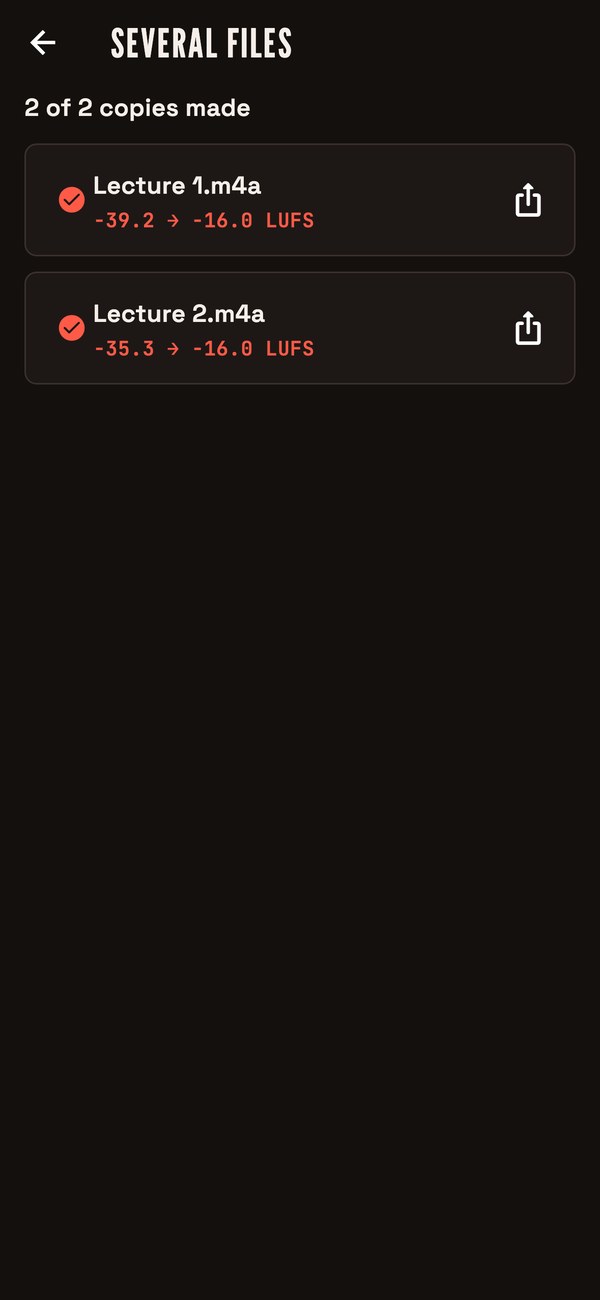
06Several files at once
Pick several files, choose one preset, press Start. Each file is measured and processed on its own and gets its own copy. The list shows "before to after LUFS" per file, a message on any file that failed, and "N of M copies made" at the end. Stop after this file ends the run. Batch is a Pro feature when the paywall is on.
07Paywall
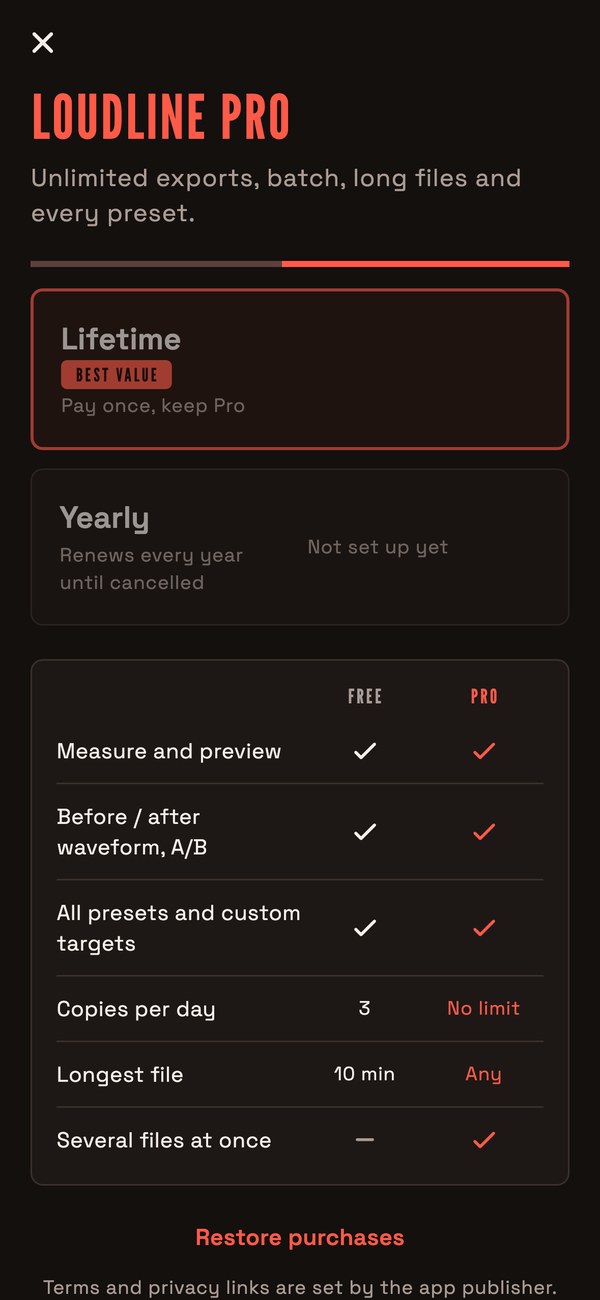
A table compares the included features with Pro: measure and preview, before/after waveform and A/B, all presets and custom targets, copies per day, longest file, several files at once. Then the lifetime and yearly offers with prices read from the store, Restore purchases, and links to terms and privacy. Without product ids it says purchases are not set up yet. See Store products.
08Settings
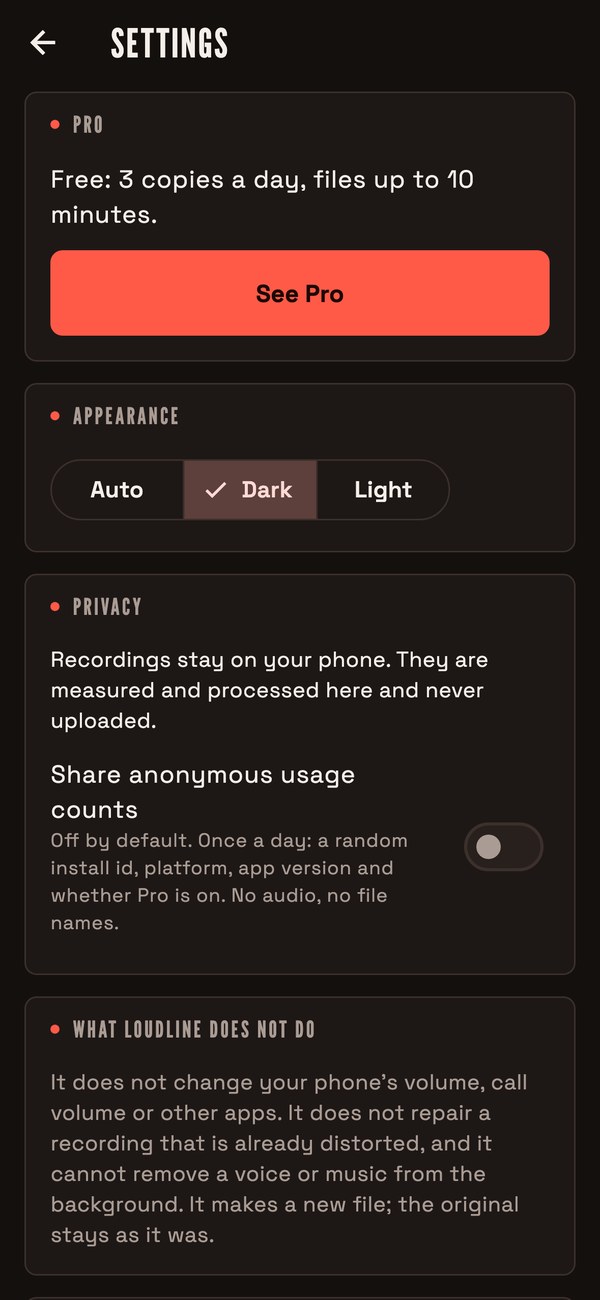
Theme (Auto, Dark, Light), Share anonymous usage counts (off by default; once a day a random install id, platform, app version and whether Pro is on, no audio and no file names), the number of saved copies with Delete all copies, the app version, support, privacy and terms links (only the ones you filled in), and a note on the fonts.
09What the app cannot do
- Files are mono or stereo. A file with more channels is reduced to its first two.
- A video file gives its audio. The export is an audio file; the picture is not put back in.
- Copy-protected files cannot be read.
- Files over the size or length limit (default 500 MB, 240 minutes) are refused, and without Pro so are files over the length allowed without Pro and the daily number of copies.
- On iOS there is no full Share Extension; the app appears under Open in for files.
- Noise reduction was checked with numbers, not by ear: listen to your own examples before you describe it in your listing.
10Announcement and force update
From the console you can show a one-time announcement and block old versions with an Update required screen. See Console pages.